


















































A year ago, the answer to “what hardware should we build our AI infrastructure on” was almost always some variation of NVIDIA. GPUs have dominated AI workloads for years, and for good reason: raw compute power for training large models is NVIDIA’s strongest suit.
The conversation is now starting to shift. More AI startups and growing organizations are choosing Apple Silicon for their infrastructure, and the reasons are going well beyond price. Being clear on why requires understanding the fundamental difference in how the hardware is built.
The Unified Memory Advantage
Traditional GPU setups have two separate memory pools: system RAM for the CPU and VRAM for the GPU. When the GPU needs data to run inference, it copies that data across the PCIe bus. This can be managed with smart splits in layers and data management, but it can become a bottleneck that adds latency and limits.
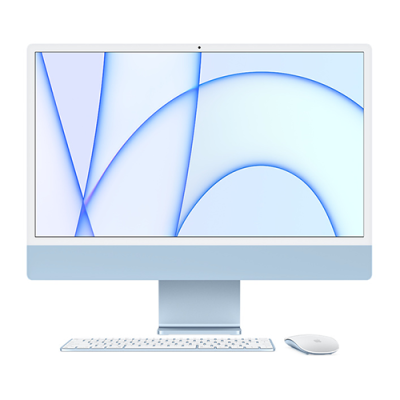
Apple Silicon eliminates that bottleneck entirely. The M4 chip family uses a unified memory architecture where CPU, GPU, and Neural Engine all share a single high-bandwidth memory pool. A mac mini with 64GB of unified memory can run AI models that would require a dedicated GPU on a traditional PC setup. With Apple silicon, there’s no copying, no bus contention, and no VRAM cliff.
The Cost Comparison
Raw performance benchmarks favor traditional GPUs in certain workloads, particularly when looking at large-scale training and batched inference at very high volumes. However, for the inference-heavy workloads most startups are actually running, the cost picture begins to look very different.
A three-year total cost of ownership analysis comparing a Mac Studio cluster vs. a comparable A100 server vs. AWS shows Apple winning by a significant margin, reflecting hardware cost, power consumption, cooling, and operational simplicity.
For a startup making infrastructure decisions that have to hold up over two to three years, this analysis matters even more than peak benchmark scores.
Choosing the Right Apple Silicon Configuration
Getting the configuration right for AI workloads is where MBS brings real expertise and understanding. The memory configuration is one of the most important decisions that cannot be changed after purchase because Apple silicon memory is soldered directly to the chip. For AI workloads, 24GB is typically the minimum and 48GB is the sweet spot for most organizations. For serious AI use, the base M4 with 16GB may be outgrown quickly.
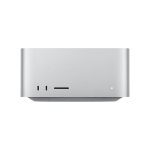
For organizations that are running multiple AI agents or larger language models in parallel, the Mac Studio with the M4 Pro and 48GB is the practical default in 2026. It covers 32 billion parameter models with room to spare and delivers solid throughput for professional use cases.
The right answer for your business depends heavily on what models your organization is running and what you are trying to accomplish. For example, a customer service agent deployment has vastly different requirements than a coding assistant or executive reporting tool. MBS works through these decisions with organizations before any hardware is purchased.
Where Traditional GPU Still Makes Sense
Currently, traditional GPUs still win on raw compute for large-scale model training. So, organizations that need to train custom models from scratch, run extremely high-volume batched inference, or operate within the CUDA software ecosystems may still want to consider GPU infrastructures.
However, the practical answer for many organizations is not a binary choice. A common and effective setup in 2026 uses Apple Silicon for daily inference workloads and pairs that with cloud-based GPU instances for occasional fine-tuning runs. MBS can help organizations design infrastructure that fits how they actually work.
What MBS Brings to This Decision
Choosing between Apple Silicon and GPU infrastructure is a decision that benefits from working with someone who has deployed both at scale and understands the operational realities beyond the spec sheets.
MBS helps AI startups and growing organizations evaluate their specific workloads and goals, choose the right hardware configuration, build the infrastructure correctly from the very beginning, and manage it reliably as it scales.
Want to learn more?