



















































Cloud AI spend is an increasingly difficult line item on the budget to predict. Usage-based pricing on cloud AI and LLM APIs makes costs move with demand, and demand moves with adoption. As more departments start using AI more and running their own AI workloads, the bill grows in ways that are difficult to forecast month to month.
That’s pushing more organizations to start wondering if the workload needs to run in the cloud at all. For a growing number of companies and workloads, especially inference on mid-size models, the answer is no. Apple silicon is a legitimate option for running AI compute on-premise, and the economics behind it show exactly why.
Apple Silicon vs. GPU for AI Inference
The core difference between Apple silicon and a traditional GPU setup comes down to memory architecture. On a typical PC or server, the CPU has its own system memory and the GPU has its own separate VRAM, connected over PCIe. Data has to move between the two, which can add latency and create a hard ceiling of what you can run based on what fits in the GPU’s VRAM. That’s why GPUs with more VRAM cost dramatically more, and why running larger models often means buying multiple GPUs just to have enough memory to hold them.
Apple silicon works differently. The CPU, GPU, and Neural Engine share a single pool of unified memory, with no PCIe bottleneck between them. A Mac with 64GB of unified memory can load and run a model that would otherwise require a GPU with 64GB of VRAM. That’s in a very different price category than the Apple hardware.
However, Apple silicon cannot replace high-end GPU clusters for every workload. Training large models from scratch, or running high-concurrency inference at a massive scale still often requires dedicated GPU infrastructure. But for inference on mid-sized models, which covers many practical enterprise AI use cases, the memory architecture advantage narrows the gap enough that Apple silicon becomes genuinely competitive and an alternative that is easier on the budget.
Mac Mini Clusters for Local LLM Deployment
A Mac mini with the M4 Pro chip and 64GB of unified memory can run large open-weight models locally, at a price point far below the equivalent GPU setup. It has become a common building block for local AI workloads, and the demand for it has been high throughout 2026. Bringing in multiple Mac mini units allows local clusters to be built, splitting larger workloads across several machines to run them successfully.
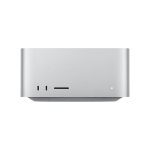
Mac mini clusters work best for workloads that split cleanly across multiple machines. When a single model needs more memory than one Mac mini can hold, some organizations use a Mac Studio instead. It runs the Max and Ultra chips and supports substantially more unified memory in a single machine.
For organizations experimenting with local AI deployment or running inference workloads that don’t require training-scale infrastructure, Mac mini clusters, whether on their own or mixed with a Mac Studio, are a perfect entry point to build around what your workload actually needs.
Cost of On-Premise AI Compute for Enterprise
A Mac mini configured with 64GB of unified memory is a one-time purchase, where a single H100 GPU can be rented per hour on specialized cloud providers. Run the GPU continuously for six weeks or so, and the bill is already more than the one-time cost of the Mac mini.
This math changes depending on the workload. A GPU cluster training a large model from scratch or serving high-concurrency production traffic at scale will justify its cost in ways a single Mac mini cluster can’t match. However, for the workloads a lot of enterprise teams are actually running today, like internal tools, department-level AI features, developer experimentation, and prototyping, the on-premise math is hard to ignore.
There’s a second factor beyond raw cost, and that is predictability. On-premise compute is a fixed, known cost. Cloud AI spend is variable and tied to usage that is hard to forecast. That can lead to surprise bills and unexpected budget conversations. For IT and finance teams working to plan their spend rather than react to it, the predictability adds a lot of value.
Where This Fits
None of this is a case for abandoning cloud AI infrastructure entirely, but it does show that on-premise Apple silicon is a serious option for the workloads it’s genuinely suited for, rather than defaulting to cloud GPU spend for everything by habit.
The organizations getting this right aren’t choosing one path exclusively and are instead matching the workload to the right infrastructure. Training and large-scale production inference stay in the cloud. Local development, internal tools, and mid-sized inference workloads move on-premise to fixed costs and hardware that is already sitting on a desk.
If your team is trying to figure out where that line sits for your own AI workloads, talk to our team about what an on-premise Apple silicon setup could look like for your organization.
—
Mac Business Solutions is a certified Apple and Jamf partner specializing in enterprise Apple device management, lifecycle services, and IT infrastructure for commercial and federal clients.
Apple, the Apple logo, Mac, Mac mini, Mac Studio and Apple silicon are trademarks of Apple Inc., registered in the U.S. and other countries and regions.
Want to learn more?
Contact MBS to discuss classroom technology for your district.