











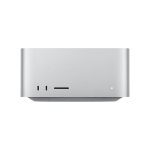
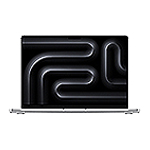
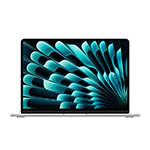

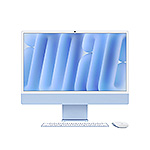








Apple Business, formerly known as Apple Business Manager , gives organizations a central place to handle device enrollment, app distribution, account management, and built-in mobile device management across their Apple fleet. Apple launched Apple Business in April 2026, consolidating what used to be three separate products, Apple Business Manager, Apple Business Essentials, and Apple Business Connect, into one place.
Apple Business handles a lot of the day-to-day work of running an Apple fleet, from device enrollment and app distribution to built-in device management, all from one place available to organizations of any size. Many organizations still choose to work with a partner for this. They often are looking for someone to help tailor the setup to their environment, plan how Apple Business fits into their broader device management strategy, and support them as their fleet grows. MBS works with organizations at every stage of Apple Business implementation, so your team can focus on the work that matters most instead of the mechanics of getting there.
What Apple Business Handles
Apple Business connects several pieces of your Apple environment into one place.
- Automated Device Enrollment (ADE) allows any devices purchased through Apple or an authorized reseller to be assigned to your organization automatically. This is what makes zero-touch deployment possible, with devices enrolling the moment they are turned on.
- App and book distribution lets organizations buy licenses in volume and assign them to devices or users without having to hand out individual credentials.
- Managed Apple Accounts give employees an account owned and controlled by the organization. This matters for security and continuity when someone leaves.
- Built-in device management is the newest piece and it’s a meaningful addition to the capabilities. Apple Business now includes its own MDM (or device management) capability, so organizations can configure devices, set security policies, and manage apps without adopting a separate device management solution at all.
These pieces work together well. Getting them configured so they work in the best possible way for the way your organization operates is where a partner can help save you time.
What to Look For in a Partner
When looking for a partner to help you with Apple Business, there are a few key things you should consider.
Your partner should be an Apple Authorized Reseller. Devices need to be linked to your Apple Business account at the point of purchase for Automated Device Enrollment (ADE) to work smoothly. This is critical for zero-touch deployment. When your reseller and your deployment partner are the same organization, the link happens automatically.
They should know how Apple Business fits with a dedicated MDM platform or device management solution. For organizations that need more than the built-in MDM offers, Apple Business feeds enrollment and licensing into a device management platform like Jamf. Most of the value shows up in how the two systems are configured together. A partner who knows both will ensure you get the most value out of both systems.
They should support you after deployment. Enrollment settings change, macOS and iPadOS updates arrive, and new device types get added to fleets over time. Ongoing Apple enterprise support tends to matter more than the initial setup, because that initial setup happens once. Everything else happens continuously. This is where a partner can help with Apple device lifecycle management, helping you get the most out of your devices over their entire lifecycle.
They should scale with you. A partner who handles a 50-device deployment well may not be equipped for 5,000, so it’s worth asking early what they’ve actually deployed at that size. Assessing whether they can help you move from the built-in MDM to a dedicated platform later if your needs grow will help you plan for the future.
Where Organizations Commonly Get Stuck
The most common issues we see aren’t technical in nature. Typically, we see that Apple Business, or its predecessor Apple Business Manager, was set up correctly by someone who has since left the organization. However, the current team may not know how the pieces connect, or may not have the time to figure it out, right when they need to make a change to their configuration.
We also see organizations get stuck around devices purchased outside the established channel. Someone may buy a few Mac computers directly, and those never make it into Apple Business. This creates a divide of devices in the fleet, with some being managed and others needing to be configured by hand.
Deploying Apple Devices at Scale
For organizations running hundreds or thousands of Apple devices, the goal is fairly simple. A new employee starts, a device goes directly to them, they power it on, and it configures itself with the right apps, settings, and security policies before they’ve finished setting up their desk.
Apple built the tools that make this possible, and Apple Business, Automated Device Enrollment, and the right device management approach for your scale, whether that’s the built-in MDM or a dedicated device management platform like Jamf, are what get you there.
MBS handles procurement, Apple Business configuration, device management solution deployment, and ongoing Apple enterprise support as one relationship rather than four separate ones. If your organization is setting up Apple Business for the first time, deciding whether the built-in MDM is enough for your needs, or you've inherited a setup nobody fully understands, reach out and we can help you get it sorted.
Want to learn more?
Mac Business Solutions is a certified Apple and Jamf partner specializing in enterprise Apple device management, lifecycle services, and IT infrastructure for commercial and federal clients.
Apple, the Apple logo, Apple Business, Mac, iPadOS, and macOS are trademarks of Apple Inc., registered in the U.S. and other countries and regions.