






























macOS 27 Golden Gate was released on September 14, 2026 and is compatible with Mac computers that run on Apple silicon. For organizations running a mixed fleet through several upgrade cycles, this release is a good moment to look at your refresh plan as a whole rather than one purchase at a time.
Inventory Your Fleet
Most organizations have a rough sense of their device age but a less precise sense of the exact distribution of the devices. Before deciding what to buy, it helps to know how many devices in your organization run on Apple silicon today. Then, looking at the teams running the heaviest workloads, and the last refresh per team is helpful as well to get an idea of where to start. This may sound daunting, but a device management platform can usually produce this report quickly.
Match Configuration to Workload
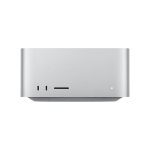
Refresh planning tends to default to tiers by role, but workload is usually a better organizing principle. A team that is running local AI models, large media projects, or heavy virtualization will benefit more from being included in the refresh sooner. Mac Studio with M5 Max and M5 Ultra chips began shipping September 22, 2026, with a configuration that includes 512GB of unified memory expected in late October. This gives organizations that are doing local model work a new option that makes sense and can support the workload in many cases.
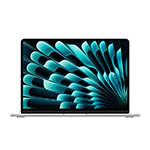
A team that works primarily in their browser and with a few productivity applications can be well served for years by a standard MacBook Air configuration. It’s important to know what each team is doing and to plan the refresh based on their unique needs.
Build a Cycle
Refresh cycles running on a fixed schedule tend to be easier to budget and support than cycles that are driven by individual requests. Commonly, we see organizations refreshing a set percentage of their fleet each year so cost is spread out over time and age distribution stays relatively even. This approach also allows for planning around operating system releases.
Trends to Watch
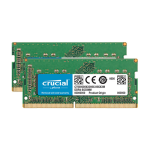
Local AI workloads are the most likely variable to change what organizations need from their hardware. Work that used to run in the cloud is becoming increasingly practical to run on the device directly, and organizations in regulated environments often prefer that for data handling reasons. Memory and story requirements for that kind of work also tend to be higher than what a general-purpose configuration includes.
If you expect any part of your organization to move in the direction of handling local AI workloads, it is worth planning those configurations separately. We can help build a refresh timeline against your current fleet, or discuss refresh options with you today.
Want to learn more?
—
Mac Business Solutions is a certified Apple and Jamf partner specializing in enterprise Apple device management, lifecycle services, and IT infrastructure for commercial and federal clients.
Apple, the Apple logo, Mac, MacBook Air, Mac Studio, and macOS are trademarks of Apple Inc., registered in the U.S. and other countries and regions.